
Find the holographic seal
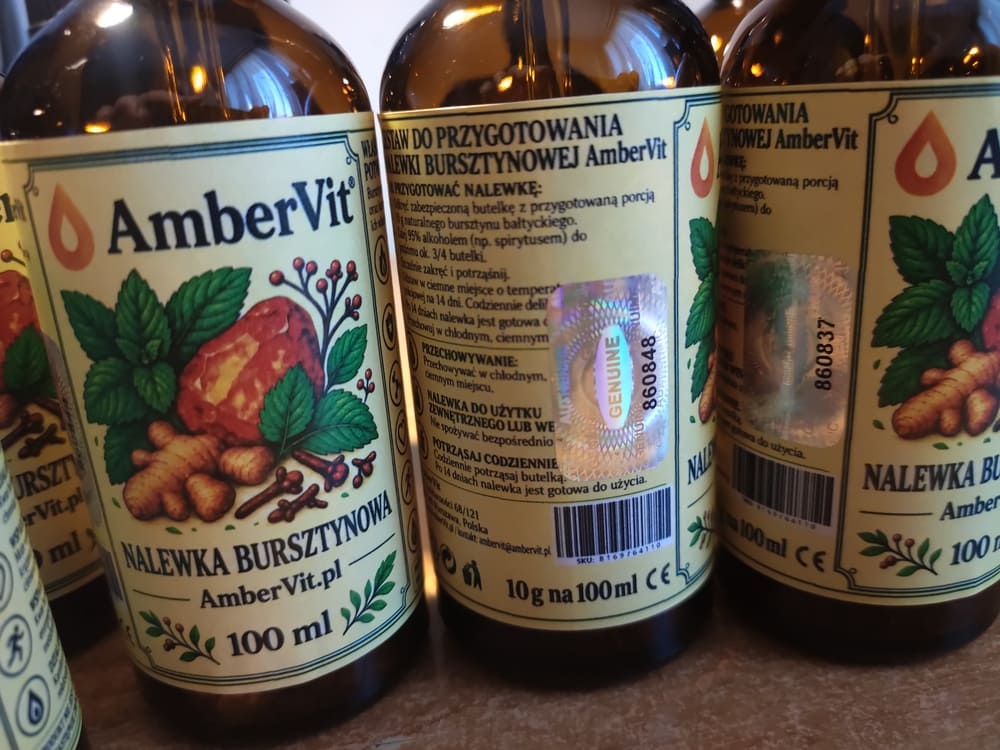
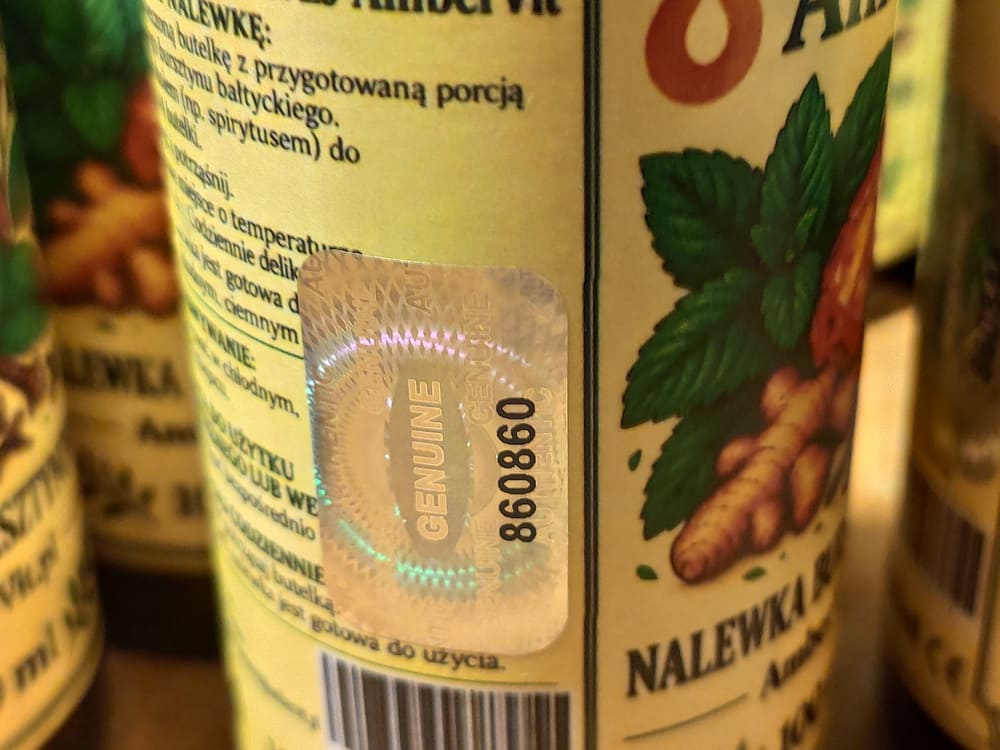
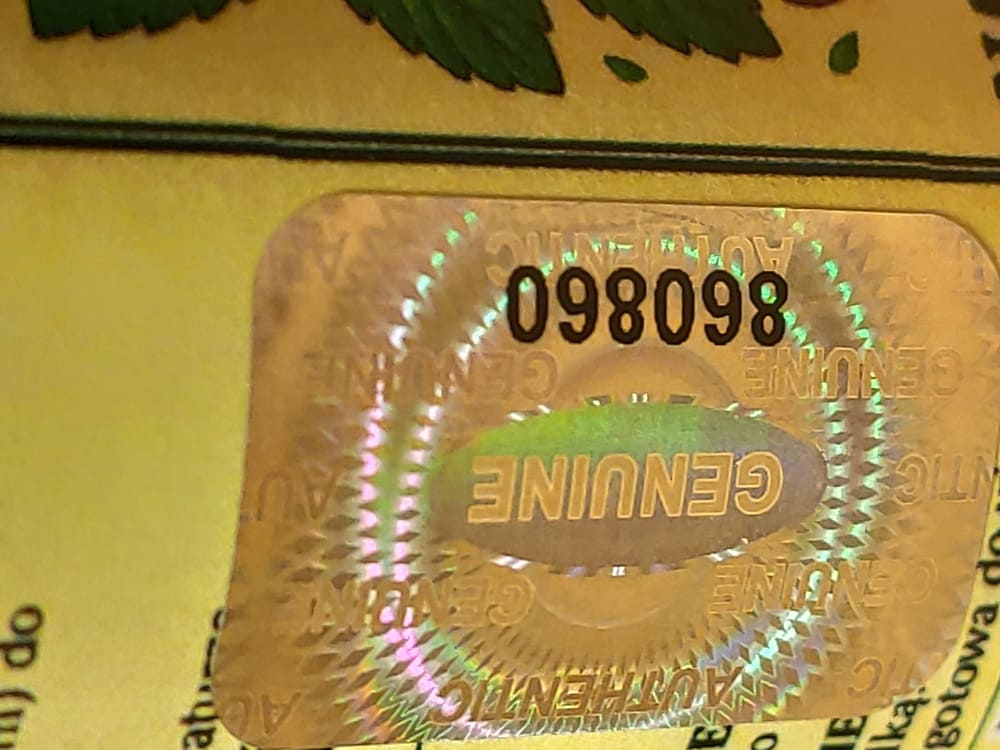
Locate the AmberVit holographic security seal attached to the product label.

A kit for preparing Baltic amber tincture according to a traditional recipe.
Every original AmberVit product or kit is protected by an individual security number and a holographic VOID tamper-evident seal.
Read the number shown on the holographic seal, enter it in the form and check whether it is registered in the official AmberVit authenticity database.
Enter the number shown on the holographic seal. Do not use spaces.
Checking a security number takes only a few seconds and does not require an account.
Locate the AmberVit holographic security seal attached to the product label.
Each seal has its own individual identification number assigned to a specific product.
Enter the number in the form. The system will confirm whether it is registered as an active security number for an authentic AmberVit product.
The hologram is a physical tamper-evident security seal. Each seal has an individual number that can be checked in the AmberVit database.
Attempting to remove a VOID seal permanently alters its structure and leaves visible evidence of tampering. The seal cannot be removed and reapplied in its original condition.
The number is registered in the official AmberVit database of active security numbers. The system will display the product name, security number and batch / LOT.
The number was not found in the AmberVit database of active security numbers. Check the number carefully and inspect the physical seal. If you have any doubts, contact AmberVit.
Database confirmation is one part of the authenticity check. The seal on the product should show no signs of removal, reapplication or damage to the VOID security layer.
If the number is confirmed but the hologram appears damaged, altered or unusual, contact AmberVit before further use of the product.
If the number is not confirmed or the hologram appears to have been tampered with, send us the security number and photographs of the product.
Contact AmberVit